PDA

View Full Version : Sequential Status Display...


Eric Nelson
May 13th, 2002, 09:39 PM
Anybody have an elegant solution for the following?...

Keeping it as simple as possible. Hopefully, I won't get too confusing! :rolleyes:

Let's say you're monitoring a low level condition of 4 infeed tracks. Any of these may be "low" at any time. You want to display the status of the tracks sequentially, yet only when they are "low"

For example, when tracks 2 and 3 are low, the display will read:
"Track 2 Low"
pause
"Track 3 Low"
pause
"Track 2 Low"
pause
"Track 3 Low"
and so on...

But then track 4 goes low as well, so we now display:
"Track 2 Low"
pause
"Track 3 Low"
pause
"Track 4 Low"
pause
"Track 2 Low"
pause
"Track 3 Low"
pause
"Track 4 Low"
and so on...

Now ONLY track 1 is low, so the display will be static with:
"Track 1 Low"

Get it?... I've done things like this by using a bunch of timers and LOTS of branches, but I KNOW there must be a simpler way! It's a piece of cake with 2 items, but the more items you add increases the mess exponentially!

Anyone?...Bueller?...Anyone?......Terry?

-Eric

drewcrew6
May 14th, 2002, 02:55 AM
Eric

Can the proc. you're using support asci to the display ?
If it can then what i've seen is all info sent from 1 register in plc.
just cycle the info to that register on a time basis.

Or are the errors programmed in the display and linked to bits in the plc?

john paley
May 14th, 2002, 06:58 AM
If it were me, I wouldn't scroll, but put in a message for every possible combination--1 low, or 1 and 2 low, or 1, 2, and 3 low, etc. Then I'd set 0 to four LS bits in a word, one for each of the low conveyors. Then examine this word for value and display the appropriate message--depending on the value. A 1 would mean 1 is low. A 3 would meadn 1 and 2 low. a 4 means 3 is low. A 5 means 1 and 3 low, etc.--all the way to 15 for 1,2,3,4 low.

If the messages are "canned" and called by a message number, binary or otherwise, it makes it real easy to assign the message numbers from 0-15, via the same word.

Andrew Evenson
May 14th, 2002, 07:43 AM
Eric,

I'm trying to do a simular thing right now with alarms too, and am not quite successful :( What I have done is built up an alarm word with different alarm bit, causing a value to be given to the alarm word for each alarm condition. Now, this value in the alarm word indexes a list of alarm text strings which are displayed on an operator screen. No, I cannot just use the alarm bit and use the HMI's alarm functionality for certain reasons. My problem is when I have more than one alarm at a time, now, my alarm word can display a false alarm text.

EX:

Alarm 1 = Value 1 in alarm word = Alarm Text : Shutter didn't Close
Alarm 2 = Value 2 in alarm word = Alarm Text : Standardize Failed


Now, If I say get both alarms, the value of my alarm word is 3, and the alarm text for value 3 might be "Grid Alarm", so, "grid alarm" is displayed on the screen instead of the 2 alarms I want.

I have tried using a sequencer, and continually scrolling through any alarm condition that might exist, which works, but lets say Alarm 1 is active and Alarm 10 is active, there is a huge gap in the messages displayed, not a good think.

Any idea's how to do this? All the alarms are mutually exclusive.
I am also looking to have the active alarms displayed, one after the other.

I think Eric, this is simular to your problem, I hope im not mistaken.

I tried to post my ladder logic, but it didnt show up how I wanted it, I'll try again if anyone want to see how I'm trying to implement it.

Andrew Evenson

Allen Nelson
May 14th, 2002, 08:50 AM
Sounds like a job for a FIFO.

Each track has its own chunk of code for managing its message. If it is LOW, the chunk looks through the FIFO. If it's number isn't listed, it loads the FIFO.

Meanwhile, the message handler has independant code. It performs the unload, by a simple timer, and displays the message correstponing to the number that it just unloaded.

Case A: Single track (2) low: On event, the 2 get's loaded. Since FIFO is not not empty, Message handler unloads FIFO, and displays Message 2 ("Track 2 Low"), and starts timer. While timer is running, Track 2's code sees that there is no '2' in the FIFO (having been unloaded), and so loads one. (On next scan, it finds the previous '2', and so doesn't load another.
Eventually timer times out, FIFO unloads the single '2', and the message is repeated. (To the operator, the message will be continuous).
Case B: Two tracks (1 & 4) low. Both load the FIFO. '1' got there first, then '4'. Message handler unloads the '1', and starts the timer. Track 1 code reloads '1'. Track 4 code is satisfied. After timer, '4' unloads, and Track 4 code reloads he '4'.

Et cetera.

That's my first pass at it. Hopefully Terry can improve on it (like how to handle it if there is a number in the FIFO, and the Low condition drops out. Remove from the middle (that gets ugly), or have the message handler do a double check on the validity of the message (OK, but not 'elegant')

gbradley
May 14th, 2002, 08:55 AM
I like John's solution best.
I've done similar things.
Whenever I jump to a subroutine I light up a bit for that subroutine.
When all bits are off the value of the word is zero, and display reads "Everything is ok".
When bit one is on, the value of the word is 1, and the dispay reads "Manual Ram Down".
Good Luck

glaverty
May 14th, 2002, 09:06 AM
Andrew,

I display alarms similar to how you are describing it. Basically what I do is set up all my alarms in sequencial registers say 100-109. So say for instance register 100 is an alarm for a door open. If the door is open there will be a non-zero number placed in the register. This number corresponds to the screen number or message number I want to display. If the door is closed a zero is placed in the register. In order for the PLC to know there is an alarm present you use a search instruction to search registers 100-109 for a non-zero value. If a non-zero is found in any of the registers a coil is turned on. This alarm coil activates four rungs of code.

The first rung is a array that moves the value found in registers 100-109 into a temporary register depending on the pointer value. The pointer value is also 0-9. If the pointer is 0 it is reading register 100 if it is 5 it is reading register 105.

The second run looks at the value of this temporary register. If it is greater than zero the register contains an alarm. The value of that register is then placed in the message display register which in turn displays it on your OIT. At this point a timer starts after say 3 seconds the pointer is incremented by 1.

This is where the third rung comes into play. If the value found in the alarm registers 100-109 is zero you have a rung that increments the pointer until a nonzero is found. Rung 2 increments it if a non zero is found, rung 3 increments it if a zero is found.

The final rung, rung 4 resets the pointer back to zero. So if the pointer register is larger than 9 it writes a zero to the pointer and the process starts over.

I hope you can understand what I am saying here I'm not very good at explaining things. Let me know if you have any questions and I will do my best to explain it. All of this is programmed in a GE Fanuc 90-30 so depending on the PLC you are using you may or may not have similar functions.

Andrew Evenson
May 14th, 2002, 10:45 AM
glaverty,

Thanks you very much for your post. It is the right idea I was looking for!! Actually, I have figured out a way to do what you are doing in the PLC I'm using. I think it will work just fine..Just have to do a little reading on a specific instruction I havent used before. Its a bit shift instruction that cycles through a word, and looks to see if a bit is set, if one is set it outputs the corresponding word value. From that word value, I can use your timer idea, and use the value to index through a table of alarm messages. I dont know if my expliantion is correct on the function of the instruction, but I hope you understand where I'm going.

Thanks,

Andrew

glaverty
May 14th, 2002, 11:02 AM
I understand what you are saying, it is more or less the same concept of looking for a non-zero number in a register. However it is done the end results the same.

Eric Nelson
May 14th, 2002, 03:38 PM
Thanks for the responses so far. John's idea makes sense to me right off the bat since it's so simple. Now that I think about it, I've approached other things this way, but I never thought about using this method for THIS application.

It seems most of you understand what I'm trying to accomplish, so it doesn't look like I need to re-explain anything right now. Later tonight I'll have more time to read (and re-read) Alan's FIFO idea... This sounds promising. I also have to run glaverty's idea through my head when it (my HEAD, that is!) is clearer.

Hopefully, Terry will find time to do one of his full-blown detailed descriptions with all the pictures and diagrams that we all enjoy! :D

I'll be back,

-Eric

Eric Nelson
May 14th, 2002, 10:32 PM
OK, I've finally found time to really look at the responses...<hr>
John,
<blockquote>Sorry, but I'm not liking your solution as much. I just would rather not have a message like:

"Track 1 AND 2 AND 3 AND 4 are Low" (or something similar)

Plus I would wind up needing 16 messages to display the status of just 4 tracks :eek: (if you includes an "All Tracks OK" message) ;)</blockquote><hr>
Andrew,
<blockquote>You are fighting with the same things I've dealt with. I create alarms the same way as you (setting bits in a word), but I treat them differently. With alarms, I usually don't need to DISPLAY more than one at a time (even if there are several). All I do is give them priorities (1-15), and use the ENCODE instruction to determine the highest bit that is set. This is the one that gets displayed. When that alarm condition is remedied, any others that exist will be displayed based on their priority.

This is how I handle alarms when using a graphic display that can associate messages with word values. I have a different method when I use text-based (canned message) displays. I can elaborate on that if you like.</blockquote><hr>
Allen,
<blockquote>Sorry 'bout the misspelling of you name in my previous post... I guess I was thinking Alan "CASE"? :embar:

As far as using a FIFO for this... I'm not that familiar with 'em, but from what little I know, I agree that this "looks" like a place to use one. You just store the events and display them. Sounds simple, but I too am concerned about how to remove an event that's no longer valid from the stack... Terry where are you? banghead</blockquote><hr>
glaverty,
<blockquote>I'm STILL running your idea through my head, but you've got me thinking about another idea! Perhaps a ROTATE instruction would work here? ROTATE is just like a BIT SHIFT, except you don't lose the bit that gets shifted out... It goes back into the front of the accumulator. Using 2 of these might work. Use one to store the event, and the other to store the matching message number. Imagine them "rotating" together, any looking at one bit at a time. If the bit is ON, trigger the matching message and start a timer. When the timer expires, "rotate" them once. If the bit is OFF, immediately rotate them once (without the time delay). This should "blow through" any bits that are OFF at the current scan time (i.e. FAST!). With this method, I still have access to the individual bits (and I know where they are). They aren't "out of reach" in the FIFO accumulator.

One problem though. Other PLCs I use have this instruction, but on this project, I'm using a ML1500, and there is no ROTATE instruction! :furi:

Any quick ideas how to accomplish this with only BIT SHIFT instructions?</blockquote><hr>
<blockquote>Oh well, let me get busy seeing if this will work while we await the "Why Didn't I Think of That" solution that Terry will undoubtedly come up with :D</blockquote>
Many thanks to everyone!

-Eric

Gerry
May 14th, 2002, 10:36 PM
You haven't mentioned a brand name, however, if you're using A-B, there is an instruction that will do most of the work for you. The FBC (file bit compare) will check 'any' number of contiguous bits in memory (i.e. can work across word boundaries) against another group of reference bits. When a mismatch is found, an index number is returned. You can use the instruction's FD (found) status bit to control a timer delaying scanning past the 'found' bit and the index number to trigger the appropriate canned message.

If you don't have a FBC to help, you could increment your way through contiguous bits using indirect addressing. Set your timer off when you find a bit on and use your index word to select the canned message.

Either method will handle a variable amount of bits without additional logic.

Eric Nelson
May 14th, 2002, 10:49 PM
Yeah Gerry, this instruction sounded GREAT! I just finished DROOLING over it, only to find out that the MicroLogix don't support it! mddr

Thanks anyway! :)

-Eric

Allen Nelson
May 15th, 2002, 09:55 AM
Thought about it some more. Here's the code (I tried it on a simulated Micor 1000, and it works:


LANE 1 - CHECK THE FIFO FOR THE EXISTANCE OF A '1', AND IF NOT FOUND, LOAD IT IN THE LAST FIFO POSITION.
LANE 1 FIFO POSN #1 FIFO POSN #2 FIFO POSN #3 FIFO POSN #4 USE INDEXED ADDRESSING
IS LOW +--- NEQ -+ +--- NEQ -+ +--- NEQ -+ +--- NEQ -+ +--- MOV -+
----| |----| N7:51 |---| N7:52 |---| N7:53 |---| N7:54 |---+---| N7:60 |
| 1 | | 1 | | 1 | | 1 | | | S:24 |
+---------+ +---------+ +---------+ +---------+ | +---------+
|
| INDEXED TO
| LOAD POSITION
| +--- MOV -+
+----| 1 |
| | #N7:50 |
| +---------+
|
| FIFO LOAD
| POINTER
| +--- ADD -+
+----| N7:60 |
| 1 |
| N7:60 |
+---------+

DUPLICATE THE ABOVE RUNG FOR EACH LANE. SUBSTITUTE '2' FOR THE '1' IN ALL THE 'EQU AND MOV INSTRUCTIONS.

MESSAGE DISPLAY TIMER - CONTROL HOW LONG THE MESSAGE IN N7:50 WILL BE DISPLAYED.
SELF-RESETING WHEN NEXT MESSAGE COMES IN.
CURRENT MESSAGE
MESSAGE TIMER
+--- NEQ -+ T4:10/DN +--- TON -+
---| N7:50 |-----|/|------| T4:10 |
| 0 | | 5 SEC |
+---------+ +---------+

FIFO UNLOAD - UNLOAD THE FIFO WHEN
A) THE MESSAGE IS "NULL", BUT THE POINTER ISN'T AT ZERO (ERROR CONTROL)
B) THE MESSAGE TIMER IS DONE, OR
C) IF THE CURRENT MESSAGE IS NO LONGER VALID (CONDITION CLEARED WHILE MESSAGE WAS IN THE STACK)
THE FIFO IS CONTROLLED BY COPYING THE STACK DOWN UPON ITSELF, OVERWRITING THE PREVIOUS VALUE WITH THE NEXT.
DECREMENT THE POINTER BY ONE TO KEEP IT POINTING TO THE NEXT EMPTY SPACE.
CURRENT FIFO LOAD
MESSAGE POINTER
+--- EQU -| +--- NEQ -+ +---- COP -+
---+---| N7:50 |---| N7:60 |---+---+---| # N7:51 |
| | 0 | | 0 | | | | # N7:50 |
| +---------+ +---------+ | | | 5 |
| | | +----------+
| MESSAGE TIMER | | FIFO LOAD POINTER
| T4:10/DN | | +---- SUB -+
+------| |----------------------+ +---| N60:0 |
| CURRENT | | 1 |
| LANE 1 MESSAGE | | N60:0 |
| IS LOW +--- EQU -+ | +----------+
+----| |-----| N7:50 |--------+
| | 1 | |
| +---------+ |
| LANE 2 |
| IS LOW +--- EQU -+ |
+----| |-----| 2 ----+
| |
CONTINUE DOWN


This is pretty brute-force code for 4 lanes. If it got expanded to 20 lanes, you'd want to put some of the repetative logic <br>(like the check for the existance of a message) into a for-next loop and index through things,

But this should do the trick. (Thanks for the diversion - this documentation stuff has been really getting me down. <br>It felt good to code again, even if it was only for 6 rungs).

glaverty
May 15th, 2002, 11:10 AM
Here is the code I was describing before, obviously your functions will not be the same but it might give you a better idea about what I was talking about.

Allen Nelson
May 15th, 2002, 03:53 PM
Greg:

I like that. Much cleaner than mine. Let me see if I'm undertanding you:
Each alarm has a register (in a contiguous array) that is either
"Zero" or "Message Number". Your 'message handler' searches through
the array (by incrementing a pointer once per scan). If it finds a
non-zero number, the pointer dwells at that register for a timer, and
then resumes searching.

Translating it into AB, for cousin Eric (not that he needs it -
I just enjoy doing this ladder stuff):


LANE 1
IS LOW +--- MOV -+
----+----| |-------| 1 |
| | N7:51 |
| LANE 1 +---------+
| IS LOW +--- MOV -+
+----|/|----- | 0 |
| N7:51 |
+---------+

LANE 2
IS LOW +--- MOV -+
----+----| |-------| 2 |
| | N7:52 |
| LANE 2 +---------+
| IS LOW +--- MOV -+
+----|/|----- | 0 |
| N7:52 |
+---------+

Duplicated 2 more times, for N7:53 & :54

STILL USING INDEXED ADDRESSING BECAUSE MICROLOGIX 1000 DOESN'T SUPPORT INDIRECT

+--- MOV -+
------| N60:0 |
| S:24 |
+---------+


MOVE THE POINTED TO REGISTER INTO THE MESSAGE REGISTER (N7:50)

CURRENT
MESSAGE
+--- NEQ -+ +--- MOV -+
---| #N7:50 |-------| #N7:50 |
| 0 | | N7:50 |
+---------+ +---------+


MESSAGE TIMER. NOTE THAT THE INDIRECT MESSAGE IS CHECKED.

MESSAGE
TIMER
+--- NEQ -+ T4:10/DN +--- TON -+
---| #N7:50 |------|/|------| T4:10 |
| 0 | | 5 SEC |
+---------+ +---------+


INCREMENT THE POINTER

CURRENT
MESSAGE POINTER
+--- EQU -| +---- ADD -+
---+---| #N7:50 |---+---| N7:60 |
| | 0 | | | 1 |
| +---------+ | | N7:60 |
| | +----------+
| MESSAGE TIMER |
| T4:10/DN |
+------| |--------+


WHEN THE POINTER GETS TO THE END, RESET IT

POINTER POINTER
+--- GEQ -| +---- MOV -+
----| N7:60 |-----| 1 |
| 0 | | N7:60 |
+---------+ +----------+


IF THERE ARE NO ERROR, CLEAR THE MESSAGE

LANE 1 LANE 2 LANE 3 LANE 4
IS LOW IS LOW IS LOW IS LOW +--- MOV -+
---|/|-----|/|-----|/|-----|/|-----| 0 |
| N7:50 |
+---------+


That last line I found I needed to add when I went to test the code.
You could clear the message on some other event (like timer done),
but then you get a 'blip' between message. If the LOW bits are
contiguous, that line can be simplified.

I also noticed a typo in my orginial code. The bits on the last rung
which check to see if the alarm is no longer valid should be -|/|-,
not -| |-.

Eric Nelson
May 15th, 2002, 11:35 PM
Whoa Allen, what were you smokin' when you wrote that? :eek: And who's "Greg"? :confused: :D

You say "Using indexed addressing because the ML doesn't support indirect addressing"... It's the other way around. And then you USED indirect addressing :rolleyes: :D

And N60:0 ??? Where did THAT come from? :D

No, really, you're explanation made perfect sense to me. I'm glad you understood glaverty's post (Is THIS the "Greg" you're referring to?). I was completely lost after reading it. utoh

For those who don't know...

Though you can't use indexed addressing (i.e. #N7:50) with the ML1200 and 1500, you CAN use a register (let's use N7:50) to point to an offset (indirect addressing). For the value, you use brackets "[]" around the register containing the offset value.
So, if the value of N7:50 is 41, and you use N7:[N7:50], this actually points to N7:41. Confused yet? It's kinda simple once you figure it out...

Below is a modified version of Allen's code to reflect what I finally got to work:

(Note to Phil... Can you make the "LADDER" code automatically bump up the HTML [size] value to "3" for easier viewing?)

LANE 1
IS LOW +--- MOV -+
----+----| |-------| 1 |
| | N7:51 |
| LANE 1 +---------+
| IS LOW +--- MOV -+
+----|/|-------| 0 |
| N7:51 |
+---------+

LANE 2
IS LOW +--- MOV -+
----+----| |-------| 2 |
| | N7:52 |
| LANE 2 +---------+
| IS LOW +--- MOV -+
+----|/|-------| 0 |
| N7:52 |
+---------+

LANE 3
IS LOW +--- MOV -+
----+----| |-------| 3 |
| | N7:52 |
| LANE 3 +---------+
| IS LOW +--- MOV -+
+----|/|-------| 0 |
| N7:52 |
+---------+

MOVE THE POINTED TO REGISTER INTO THE MESSAGE REGISTER (N7:40)

CURRENT
MESSAGE
+--- NEQ -----+ +--- MOV ------+
---| N7:[N7:50] |-------| N7:[N7:50] |
| 0 | | N7:40 |
+-------------+ +--------------+


MESSAGE TIMER. NOTE THAT THE INDEXED MESSAGE IS CHECKED.

MESSAGE
TIMER
+--- NEQ -----+ T4:10/DN +--- TON -+
---| N7:[N7:50] |------|/|------| T4:10 |
| 0 | | 5 SEC |
+-------------+ +---------+


INCREMENT THE POINTER

CURRENT
MESSAGE POINTER
+--- EQU -----| +---- ADD -+
---+---| N7:[N7:50] |---+---| N7:50 |
| | 0 | | | 1 |
| +-------------+ | | N7:50 |
| | +----------+
| MESSAGE TIMER |
| T4:10/DN |
+--------| |----------+


IF POINTER IS BELOW THE BEGINNING OF THE RANGE,
OR WHEN THE POINTER GETS TO THE END, RESET IT
TO THE BEGINNING OF THE RANGE (THIS ENSURES THAT
WE NEVER GO ABOVE OR BELOW THE RANGE OF 41 TO 45)

POINTER POINTER
+--- GEQ -+ +---- MOV -+
---+---| N7:50 |---+---| 41 |
| | 44 | | | N7:50 |
| +---------+ | +----------+
| |
| +--- LEQ -+ |
+---| N7:50 |---+
| 40 |
+---------+


IF THERE ARE NO ERRORS, CLEAR THE MESSAGE

LANE 1 LANE 2 LANE 3
IS LOW IS LOW IS LOW +--- MOV -+
---|/|-----|/|-----|/|-----| 0 |
| N7:40 |
+---------+


This is E-X-A-C-T-L-Y what I was looking for!!!! It works perfectly!:D

Many thanks to Allen and glaverty (er, Greg?) ;) for an elegant solution to a tricky problem. This is what PLCS.net is all about!

beerchug

-Eric

glaverty
May 16th, 2002, 08:45 AM
Eric, I am the Greg Allen was referring too.

Allen,

I'm not very familiar with AB code but from the looks of it you got it exactly. I didn't put the alarm registers in there but you figured them out exactly as they are written. I like this way of displaying alarms personally, the system this code is from only has 15 or so Alarms but there is no reason you couldn't have a lot more, your only limit would be the number of registers you have to work with. It's also nice because if you get multiple Alarm conditions you can see each one of them, not fix one just to have another come up. Though I find that if you fix one usually some of the other ones will go away too.

Anyways glad to have helped you Eric. Allen glad to have gotten you away from the boring paper work for a while.

Allen Nelson
May 16th, 2002, 08:48 AM
What was I smoking when (Answer - nothing, but I had had two glasses of wine just before the last post)? My first attempt was an "off the top of my head". I'm not as good as Terry is with those.

Yes, it's Greg Laverty (got that from the old forum) who provided the

When I tried writing the ladder in RSLogix (just to prove it would work), I set the type to the lowest Micrologix 1000. I tried using indirect addressing (as your final solution did), but when I verified it, I got an error message "Indiect Addressing not supported for this data type (N)". I don't know those PLCs that well, so I assumed it couldn't and used indexed instead. (N60 was supposed to be N7:60 - I've got to find an easier way of converting RSLogix to ASCII - I used to be able to do it easily in AI, but I don't have it anymore) Glad your PLC supports indirect - it's cleaner.

I've reported the ladder problems to Phil already - different browsers do it differently, but it seems to have something to do with the width of the reply box.

Again, thanks for the diversion from writing Funcitonal and Design Specs.

Gerry
May 16th, 2002, 08:39 PM
The following is what I was thinking when I replied earlier. It approximates the action of the FBC instruction. To utilise this approach, you need to arrange your alarm or trigger bits contiguously.

For the code below, I have assumed that there are four bits to check in word B10:0 (bits 0-3) and their corresponding messages are numbered 1-4 with message 0 being blank. N7:0 selects the canned message. C5:0 preset determines number of bits to check. T4:0 determines message display time. B3/0 roughly corresponds to the 'found' bit of the FBC.

I don't have a ML1500 to test this on, so can't say whether or not this will work across word boundaries (i.e. for more than 16 bits).


rung 0
----+-+--CTU---+--+-
| | C5:0 | |
| | pre=3 | |
| +--------+ |
| |
+---+CLR---+--+
| N7:0 |
+------+

rung 1
B10:0[C5:0.ACC] T4:0.DN B3/0
---| |-------------|/|---+-----( )---+-
| |
| |
+-+--TON--+-+
| T4:0 |
| pre=2 |
+-------+

rung 2
B3/0
---| |----------------+---ADD-----+-
| C5:0.ACC |
| 1 |
| N7:0 |
+-----------+

rung 3
B3/0 C5:0.CU
---|/|-------------------(U)--

rung 4
C5:0.DN B3/0 C5:0
---| |-------|/|-----------(RES)--

Eric Nelson
May 17th, 2002, 12:57 AM
Gerry, for my application, this might be an even MORE elegant solution! The things I need to sequentially display are bits, and the messages trigger directly from bits, so why bother manipulating words?... Great idea!

After reading more about indexed addressing, I learned one thing that I didn't know before... You can "nest" multiple pointers withing one address! This is scary when you think about how IMPOSSIBLE to understand you could make your code for some poor future programmer! :p Handy little thing, if you use it ONLY when needed....

Oh, and according to the manual, you can index across words... :cool:

Thanks,

-Eric

Orn Jonsson
May 17th, 2002, 01:44 AM
Hi Eric


I encountered a similar problem a few years ago when a client of mine wanted to display multiple alarm messages (blink-codes) on one indicator lamp.
It took me a while to find a solution. However what I came up with worked great, (for up to 15 alarms).

Here it goes.

1) Set aside one word for alarm bits and turn on a bit in the word as the alarm condition is present, up to 15 alarms.

2) Set aside another word, which will be your MASKING word.

3) Insert a bit in the making word and shift it left using the BSL instruction (AB). As the bit drops out (Word =0) insert the bit again so it is continuously scrolling through the word from right to left. You can even shift the bit every scan.

4) Now use a "Bitwise AND" to AND the two words together. This means that as soon as your "scrolling" bit in the Masking word is above the first error bit in your Alarm word, you will get a bit right under the two in your result word.

5) You have now captured your first alarm bit and all that is left is to use the "ENC" instruction (Encode 1 of 16 to 4) which will give you the bit number (position within the word) in BCD.

6) Use this BCD number to call the corresponding alarm to your display, and activate a timer that will pause the BSL instruction long enough for the message to be displayed on the screen. When the timer expires the scrolling bit (BSL) will take off until it hits another error bit above it. A new BCD number will be generated and a new alarm will be displayed etc. etc……….

Good luck,

Orn

Eric Nelson
May 17th, 2002, 02:26 AM
You da man, Iceman! :cool:

Wow, can it get any simpler than this??? I have NEVER had a need to sequence more than 15 events... For 2, it's a piece of cake... I use this method:

TRACK 1 TRACK 2
OK OK
-----|/|---+---| |---+---(STATUS "TRACK 1 LOW")
| |
| CLOCK |
+---| |---+

TRACK 2 TRACK 1
OK OK
-----|/|---+---| |---+---(STATUS "TRACK 2 LOW")
| |
| CLOCK |
+---|/|---+


Actually, my second rung usually is just:

TRACK 2
OK
-----|/|-----------------(STATUS "TRACK 2 LOW")


because one bit will take precedence (you can't display 2 messages at once!) lolis

When you need 3 or more, there's no simple solution like this. :(

Many thanks!!!

-Eric

rsdoran
May 19th, 2002, 03:24 PM
I am curious about certain things involved here. Please tell me if I am wrong here and why?

Most HMI have alarm pages that can be brought up based on your priority settings?

So if you created a Page that had nothing but (following the above scenario) a list of the Tracks couldnt you set the priority to bring this page up if any track was low. Example:

Tracks Low on Production

Track 1 LOW
Track 2 OK
Track 3 OK
Track 4 OK

TRACK 1
OK
-----|/|-----------------(STATUS "TRACK 1 LOW")
|
|-----(ALARM "TRACK LOW" PAGE)


This is basic but hopefully y'all understand what I am saying.

Doing this you would basically only need 4 rungs of code (for my example above)? Thats not counting the ladder needed to determine track is low naturally. This way they are sequenced and all shown at same time. LOW when low....OK when not LOW.

Tell me what is wrong with this concept please! I am certain there are some issues with type of hmi/display used but aside from that?

Eric Nelson
May 19th, 2002, 06:56 PM
RS, as far as ALARMS are concerned, you are not wrong...

What we're discussing in this thread might be better thought of as "conditions" (for a lack of a better term). Basically just the current status of the machine. On the main HMI screen, I have a banner that displays this status. Things like "Full Automatic", "Finishing Cycle", "Running Single Cycle", etc., etc.... Just information for the operator.

This "Tracks Low" scenario is just another status. They are not alarms that need to be reset... These disappear as soon as the track(s) fill up with parts again. Let's say the machine is running in Automatic, but a track runs low on parts (i.e. the feeder bowl that fills this track has run empty). The machine will pause until the track fills up again, but then start running again automatically. If there is only one infeed track on the machine, you could just add this message to the banner. The operator sees this and attends to the problem (i.e. refills the feeder bowl with parts).

The problem is when there are multiple tracks. There are times when 2 or more tracks will run out of parts at (or nearly at) the same time. If you only display ONE of these messages, the operator will refill that feeder bowl, only to come back and realize that ANOTHER feeder bowl was also empty. Now they run off to refill THAT one. Upon returning to the HMI, they see that still ANOTHER feeder bowl is empty.

Now the operator is thinking:<blockquote>"I just walked past that feeder bowl on my way back to the HMI!... Why didn't you let me know that BEFORE?!?!"

"Now, before I walk ALL THE WAY to the back of the machine again, can you tell me how many OTHER feeder bowls are empty?!?!"</blockquote>If you frustrate the operators, there's a good chance they may take out this frustration on the machine! :smas:

By sequencing the messages, you can give the operator all the information they need B-E-F-O-R-E they head off! :cool:

-Eric

rsdoran
May 19th, 2002, 09:59 PM
I asked this because I have created a scenario as I described. I have 5 machines with their own conveyors that each have their own Panelview(on a SLC 5/04/Devicenet system). The idea was to tell the operators via alarm/condition that their machine (each operator has to deal with 2 machines more or less) wasnt feeding. Each machine/conveyor must feed to another conveyor to combine the products for packaging.

I am not sure I understand the difference between conditions and a need for an alarm. I want ALL operators to KNOW what is happening when it happens and attempt to correct the situation. It may have been more eloguent to show the problem per station BUT I am not that good so looked for simple, and easy to understand. Was this simple feasible, and easy to understand?

Eric Nelson
May 20th, 2002, 01:12 AM
OK, after re-reading your original question, I (think) I get it... At each machine, you automatically switch to your "Why is This Machine Not Running?" screen to let everyone know where the problem lies on the production line.

One question though... Let's say that a machine in "Group 1" stops. You display this at all other groups. When the problem is fixed, do you..

A.) Switch ALL displays back to "normal running" screen automatically?

or

B.) Require the operator at each other "group" to reset the alarm on their individual screens?

To elaborate on the "Alarm" vs. "Condition" topic...

I consider an "Alarm" to be something that, once it occurs, it MUST be "acknowledged" by the operator (i.e. Press the "Alarm Reset" button) before the machine will run again. Even if the "fault" happened to go away in the meantime. Examples of this would be low air pressure, a switch that didn't turn on/off when it should, etc...
By latching the alarm, it prevents intermittent things from being missed. If they didn't latch, you may never figure out why the machine "just stops once in a while" for what seems like no reason.

A "condition", "status", "event" (would someone please come up with a better term for this?), is something that will "automatically" reset (clear, go away, etc.) once the "condition", "status", "event" goes away. No operator intervention is required. Things like "Minimum Level Not Satisfied" on an infeed conveyor would cause the machine to stop (actually PAUSE), then begin running again once more parts are present on the conveyor. "Cycle on demand" is another term for this. If the first machine on a 10 machine process has a problem, you don't want to have to run around pressing "reset" on every other machine just because machine #1 stopped feeding the rest of the line, do you?

I'm sure we're probably both describing the same scenarios The confusion lies in trying to describe it accurately in words. :p

beerchug

-Eric

rsdoran
May 20th, 2002, 08:05 AM
I got you...this is a condition. Once the problem is gone..ie conveyor/feed system is not low then it reverts back to main screen.

I have 5 machines (in one group) but they are maintained by 3 operators, therefore I need them all to know when any machine is not feeding or the conveyor is not full...the conveyors in this case act kind of like a hopper.

I think we are talking similar systems but I just used a different approach because of situation.

icky812
January 3rd, 2005, 11:38 AM
Sorry to dredge up an old thread like this, but Eric had asked over on the AutomationDirect.com forum (http://forum1.automationdirect.com/board/Forum1/HTML/001515.html) for a look at what the code would be like to do this application.

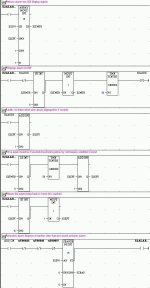
I thought this would be a good time to dust off my rusty coding skills a bit. So with my handy dandy programmers reference, I took off into the wilds to see just how difficult it would be. Not quite as difficult as I first thought. 25 rungs to add/remove messages with a timed and scrolled display.

BTW, this is an advanced intermediate program IMHO. There are things in it that any programmer can add to their bag-o-tricks, so please take a look.

There are certainly other ways to do this. I wrote this specifically for the DL06 processor, although it would also work on a DL260 or DL450. I could have used one shots instead of the roundabout method that I chose, but I chose the way I did to show that there are always methods to accomplish almost anything given a bit of thought.

Feel free to comment. I have tested it and it seems to work well for me.

icky812
January 3rd, 2005, 11:44 AM
For those that need a bit more than what the Directsoft manual provides on how things work, here is a document that I wrote the other day that attempts to ease the transition to the Directlogic line. It explains indirect addressing a bit better than the manual I think.

As always, feel free to comment.

pstephens
January 3rd, 2005, 05:32 PM
Originally posted by icky812
For those that need a bit more than what the Directsoft manual provides on how things work, here is a document that I wrote...

Thanks, Icky -- your timing couldn't be better! I've had my head buried in manuals for the past few days, and even though the DL manuals are well-written, sometimes they can be very dry. http://img.photobucket.com/albums/v470/haplesspeanut/Smilies/Yawn.gif And it can be very difficult to filter out the less important points from the more critical info. I printed out your write-up straight away, and it's already been very helpful!

Paula

Eric Nelson
January 3rd, 2005, 05:46 PM
And also thanks for the translated logic, Icky! I'll investigate it further when I find some time. At first glance, I'm not liking the 'dreaded' stages, but I'm sure I'll figure out a way around needing them... :D

In any case, it should be useful for Bob (testsubject)... ;)

beerchug

-Eric

icky812
January 4th, 2005, 09:25 AM
Paula,
I'm just glad to know that someone somewhere got something usefull out of it. :)


Eric,
No real need for the stages. A contact in front of the rungs inside stage S1 will do the same thing. I tried to use a few not so well known 'features' while doing this just to show how they work.