You are not registered yet. Please click here to register!


plc storereviewsdownloads
This board is for PLC Related Q&A ONLY. Please DON'T use it for advertising, etc.
 
Try our online PLC Simulator- FREE.  Click here now to try it.

---------->>>>>Get FREE PLC Programming Tips

New Here? Please read this important info!!!


Go Back   PLCS.net - Interactive Q & A > PLCS.net - Interactive Q & A > LIVE PLC Questions And Answers

PLC training tools sale

Reply
 
Thread Tools Display Modes
Old November 10th, 2010, 10:10 PM   #1
avalancheroy33
Member
United States

avalancheroy33 is offline
 
Join Date: May 2010
Location: Indianapolis
Posts: 4
Adding a TON with TwinCAT

I just took over aproject and need to add a timer using twincat software, but do not have much experience with it. I know how to map in inputs and outputs, but dont know how to add a timer. need to get equipment back online to night hopefully -- any help is much appreciated.
  Reply With Quote
Old November 11th, 2010, 01:38 AM   #2
L D[AR2,P#0.0]
Supporting Member
United Kingdom

L D[AR2,P#0.0] is offline
 
Join Date: Nov 2006
Location: UK
Posts: 4,562
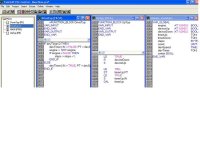
In the sample project supplied with TwinCat (TwinCat\Samples\FirstSteps) there are examples of the use of TON
Attached Images
File Type: jpg tcton.jpg (56.2 KB, 148 views)
  Reply With Quote
Old December 16th, 2010, 11:54 PM   #3
Andreik
Member
Philippines

Andreik is offline
 
Join Date: Mar 2009
Location: Makati City
Posts: 69
I was able to simulate and run TON using Structured Text. I have activated "T.IN", however deactivating "T.IN", I noticed that "T.Q" remains activated. When I set "T.Q:=FALSE", the program shows error message. How can I turn this "T.Q" OFF?

Example program:

dev_down := NOT dev_up;
IF start THEN
t1(IN:=TRUE , PT:=t#1s , Q=>, ET=> );
IF t1.Q THEN
dev_up:=TRUE;
t1.IN:=FALSE;
END_IF
END_IF

Thank you very much,
Andrei K.


Quote:
Originally Posted by L D[AR2,P#0.0] View Post
In the sample project supplied with TwinCat (TwinCat\Samples\FirstSteps) there are examples of the use of TON
  Reply With Quote
Old December 17th, 2010, 09:16 AM   #4
TurpoUrpo
Member
Finland

TurpoUrpo is offline
 
Join Date: May 2008
Location: Finland
Posts: 1,295
You must always make the call of ton. Now if start is not true you wont call the ton.

Code:
dev_down := NOT dev_up;
IF start THEN
      t1(IN:=TRUE , PT:=t#1s , Q=>, ET=> ); //this one will execute the ton, if start is not true, it wont execute, also when call is made u assign true to in so it will always be true when call is made.
  IF t1.Q THEN
    dev_up:=TRUE;
    t1.IN:=FALSE;
  END_IF
END_IF

Last edited by TurpoUrpo; December 17th, 2010 at 09:26 AM.
  Reply With Quote
Old December 20th, 2010, 03:21 AM   #5
Andreik
Member
Philippines

Andreik is offline
 
Join Date: Mar 2009
Location: Makati City
Posts: 69
Good day,

Thank you very much. I was able to put up a decent ST program just today and this will be the beginning of more complex programs to make. Here is my improved simple "TON" program:
dev_down := NOT dev_up;

IF NOT start THEN
t1(IN:=FALSE , PT:= , Q=> , ET=> );
t2(IN:=FALSE , PT:=, Q=> , ET=> );
dev_up:=FALSE;
END_IF
IF start AND NOT t2.IN THEN
t1(IN:=TRUE , PT:=t#1s , Q=>dev_up , ET=> );
END_IF
IF start AND dev_up THEN
t1(IN:=FALSE , PT:= , Q=> , ET=> );
t2(IN:=TRUE , PT:=t#1s, Q=> , ET=> );
IF t2.Q THEN
t2(IN:=FALSE , PT:=, Q=> , ET=> );
dev_up:=FALSE;
END_IF
END_IF


Quote:
Originally Posted by TurpoUrpo View Post
You must always make the call of ton. Now if start is not true you wont call the ton.

Code:
dev_down := NOT dev_up;
IF start THEN
      t1(IN:=TRUE , PT:=t#1s , Q=>, ET=> ); //this one will execute the ton, if start is not true, it wont execute, also when call is made u assign true to in so it will always be true when call is made.
  IF t1.Q THEN
    dev_up:=TRUE;
    t1.IN:=FALSE;
  END_IF
END_IF
  Reply With Quote
Old December 20th, 2010, 03:36 AM   #6
TurpoUrpo
Member
Finland

TurpoUrpo is offline
 
Join Date: May 2008
Location: Finland
Posts: 1,295
You should call the timer exactly once in one program scan.

Example:

Code:
IF (StartCondition)
    THEN
    t1.in := true;
ELSE
    t1.in := false;
END_IF; //this could also be written "t1.in := StartCondition;"

t1(IN:= , PT:=t#1s , Q=> , ET=> ); //execute timer

IF (t1.q)
    THEN
    //do stuff
END_IF;
Basically, modify input parameters, then execute timer, then read output parameters.
  Reply With Quote
Old December 20th, 2010, 07:08 PM   #7
Andreik
Member
Philippines

Andreik is offline
 
Join Date: Mar 2009
Location: Makati City
Posts: 69
Now that's way much convenient. Thank you very much as my ST programming has really improved in a few day span. Here is my revised program:

dev_down := NOT dev_up;
t1(IN:= , PT:=t#1s , Q=> , ET=> );
t2(IN:= , PT:=t#1s , Q=> , ET=> );
IF NOT start THEN
t1.IN:=0;
t2.IN:=0;
dev_up:=0;
END_IF
IF start AND NOT t2.IN THEN
t1.IN:=1;
IF t1.Q THEN
dev_up:=1;
END_IF
END_IF
IF start AND dev_up THEN
t1.IN:=0;
t2.IN:=1;
IF t2.Q THEN
t2.IN:=0;
dev_up:=0;
END_IF
END_IF


Quote:
Originally Posted by TurpoUrpo View Post
You should call the timer exactly once in one program scan.

Example:

Code:
IF (StartCondition)
    THEN
    t1.in := true;
ELSE
    t1.in := false;
END_IF; //this could also be written "t1.in := StartCondition;"

t1(IN:= , PT:=t#1s , Q=> , ET=> ); //execute timer

IF (t1.q)
    THEN
    //do stuff
END_IF;
Basically, modify input parameters, then execute timer, then read output parameters.
  Reply With Quote
Old May 7th, 2011, 12:12 AM   #8
fsoria
Member
Philippines

fsoria is offline
 
Join Date: May 2011
Location: Makati
Posts: 2
don't assign value to Q...you should just monitor the value of Q so that you can control the IN
  Reply With Quote
Reply
Jump to Live PLC Question and Answer Forum

Bookmarks


Currently Active Users Viewing This Thread: 1 (0 members and 1 guests)
 
Thread Tools
Display Modes

Posting Rules
You may not post new threads
You may not post replies
You may not post attachments
You may not edit your posts

BB code is On
Smilies are On
[IMG] code is On
HTML code is Off
Forum Jump

Similar Topics
Thread Thread Starter Forum Replies Last Post
Beckhoff - twincat problem (newbie) titi_nicolas LIVE PLC Questions And Answers 9 January 14th, 2011 10:02 AM
TwinCAT EtherCAT Help Needed sujal.sheth LIVE PLC Questions And Answers 11 March 29th, 2010 09:38 AM
TwinCAT remote OPC connection hatchor LIVE PLC Questions And Answers 2 April 15th, 2008 07:59 PM
ST program calling FB with a TON inside it - TON not working help pls matt_sd LIVE PLC Questions And Answers 3 November 5th, 2007 09:11 PM
CP5512 and TwinCat ? adcoPLC LIVE PLC Questions And Answers 2 March 14th, 2005 02:04 AM


All times are GMT -5. The time now is 12:32 AM.


.